
- iPhone
RR3 on iPhone: Quick APP and Home Screen Access
See the iPhone Download now menu, add RR3 to the Safari Home Screen and learn what to review if Quick APP displays a profile prompt.
RR3 Guide Team
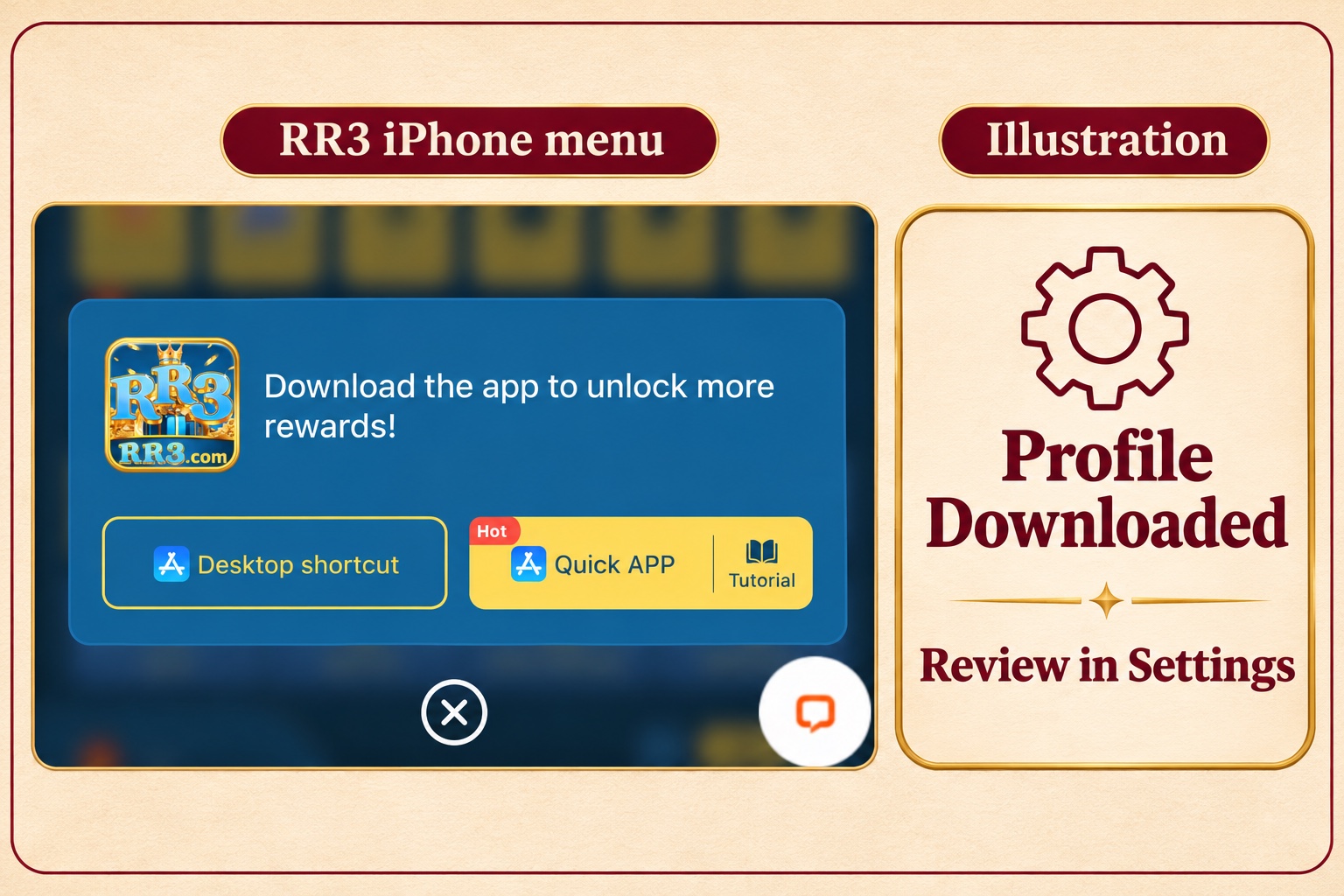
Choose an option in the RR3 lobby
Tap Download now. The iPhone panel shows Desktop shortcut and Quick APP, with Tutorial beside Quick APP. You can also continue in Safari.
Add RR3 to your iPhone Home Screen
On newer iOS versions, Share may be inside the Safari page menu.
- Open the page menu or Share in Safari.
- Choose Add to Home Screen and check the page name.
- Choose Open as Web App if available and wanted, then tap Add.
What the Quick APP tutorial shows
The platform tutorial uses an example configuration profile. Review the identity and contents shown on your own device.
The Profile Downloaded panel in the cover is an illustration. Read the exact prompt and review the profile details on your own iPhone.
| Prompt or screen | What it means |
|---|---|
| Profile Downloaded | A profile is available for review in Settings |
| VPN & Device Management | Review the issuer and contents of the downloaded profile |
| Profile Installed | iOS reports completion. The Done button closes the notice |
If the prompt is unfamiliar
Continue in Safari or use the Home Screen shortcut. Ask RR3 Support which profile and issuer you should expect.
Frequently Asked Questions
Does adding RR3 from Safari need a configuration profile?
Use Add to Home Screen in Safari. A profile prompt belongs to the separate Quick APP flow.
Where do I find Tutorial?
Tap Download now in the RR3 lobby, then tap Tutorial beside Quick APP.