
Lobby
Game category
Slots
Browse the Slot tab for reel games. Check the paytable and bonus rules in each title.
View categoryGet the RR3 app or log in with your phone number. Browse slots, live games and Aviator, see which rewards you can claim, and check how PKR withdrawals work.
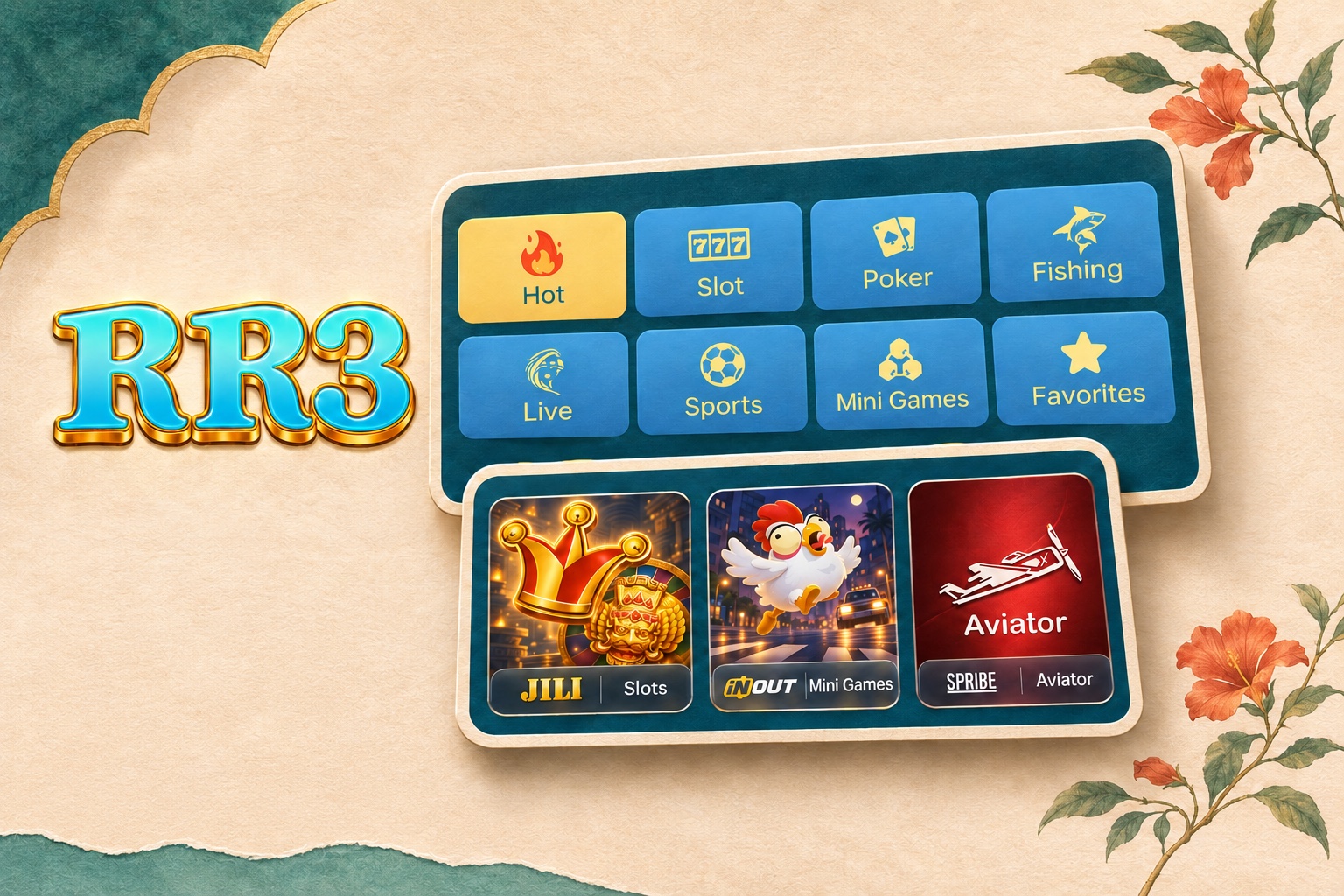
RR3 lobby preview
Game categories and featured titles
Start from Hot for featured titles or go straight to a category. The lobby also has search and Favorites.
Game category
Browse the Slot tab for reel games. Check the paytable and bonus rules in each title.
View categoryGame category
Explore the Poker tab and look at the hand rankings or table rules before a round.
View categoryGame category
Open Fishing to find arcade-style titles and review points, controls and costs.
View categoryGame category
Use the Live tab for the current table list. Check rules and table limits first.
View categoryGame category
Open Sports to see available events and review the terms displayed for a market.
View categoryGame category
Find short game formats in Mini Games and read each round’s instructions.
View categoryStart with the search box above the categories.
Game availability and individual rules are shown in the lobby.
Compare the deposit-free check-in days, one-time first-deposit tiers and the recurring Member Day event.
2 days
No deposit required on Days 1–2
Claim Days 1 and 2 directly. A 100 PKR deposit is required before Day 3. A missed day resets the streak.
See Offer DetailsUp to 15,000 PKR
100 PKR first top-up tier earns 30 PKR
Check the tier before your first eligible top-up. Claim from 07:00 the next day in the app. The bonus requires 5× valid turnover before withdrawal.
See Tiers & Claim StepsUp to 4,777 PKR
First day of the month
First eligible deposit on the 1st of each month. The 500 PKR tier pays 100 PKR. Check the table for the tier that applies.
See Member DayThe first-deposit offer is for your account’s first eligible top-up. Member Day has a separate schedule and its own qualifying deposit.
RR3
Find Download now
Lobby button
Android
Browser access
Open Download now in the lobby. Android offers Speed APP and Native App. On iPhone, pick a shortcut or review the Quick APP tutorial.
Compare Speed APP and Native App, including their displayed sizes, before choosing an Android download.
See the iPhone download menu or save RR3 from Safari to your Home Screen.
Open the RR3 lobby and use the account buttons at the top.
Use the download control inside the RR3 platform.
The VIP panel and Mission list help you see the benefits available to your account and how close you are to the next milestone.
First visible tier
VIP
Open VIP to check your current tier. The lobby showed a 100 PKR step toward VIP 1 and lists daily, monthly and level-up rewards separately.
Daily and weekly tasks
Missions
The Mission panel lists daily and weekly tasks, including app login. See your progress and claim status in Mission.
Before you claim
Check the progress indicator and the requirements displayed for the reward you want.
See VIP and MissionsEligibility and reward availability depend on the account and the rules shown in RR3.
Choose the guide for your device or account, then continue in RR3.
Review account creation and open Register from the lobby.
Registration GuideOpen Login and use the account details you registered with.
Login HelpFrom Profile → Withdraw, submit a fee-free PKR request and check its status in My Records.
Withdrawal GuideThe FAQ links to the right guide and explains where to find Support.
Quick answers for app access, withdrawals and the seven-day offer.
See All Help TopicsIn the RR3 lobby, tap Download now. The Android menu shows Speed APP and Native App. The iPhone menu shows Desktop shortcut, Quick APP and a Tutorial.
Open Profile → My Records and match the request by date, amount or reference. If an approved payout is missing, contact Support with the reference.
The seven-day streak resets to Day 1. Open the 7-Day Check-In event in RR3 to see your current progress and claim status.
Open RR3 and select Support in the lobby’s bottom menu. For a payment or reward issue, keep the reference, date and amount ready.
Use the guide that matches the step you are on.
Compare the device menus and check the fallback for your phone.
Match the amount in your receiving wallet and keep the request reference.
Check the first-deposit event or Unclaimed in the app, then refresh the list.
See the phone menus, QR payment steps and bonus claim screens.
Select Support in the lobby’s bottom menu. For a withdrawal, have the request reference ready. For an offer, include the name and claim status.
Send account information only through the verified platform’s support flow.
Have the details that identify the issue.
Name the screen and error message.
Have the reference number and requested amount ready.
Include the name of the offer and the claim screen.
Keep passwords, verification codes and wallet PINs private.
The VIP panel and Mission list help you see the benefits available to your account and how close you are to the next milestone.
First visible tier
VIP
Open VIP to check your current tier. The lobby showed a 100 PKR step toward VIP 1 and lists daily, monthly and level-up rewards separately.
Daily and weekly tasks
Missions
The Mission panel lists daily and weekly tasks, including app login. See your progress and claim status in Mission.
Before you claim
Check the progress indicator and the requirements displayed for the reward you want.
See VIP and MissionsEligibility and reward availability depend on the account and the rules shown in RR3.
RR3 Game Pakistan
Find the app, access your account or check what’s currently on offer.
Real-money play carries financial risk. Review current terms and play within your limits.